# Payment button
Aurpay allows you to effortlessly accept crypto payments with a simple button or link of your design. Set custom fields to collect information about customers that pay you. Receive notifications via email each time you get paid.
### 1. What’s a Bitcoin Payment Button?
Bitcoin payment buttons allow you to accept Bitcoin through a custom-designed link to checkout. It works exactly like a traditional payment button, the payment can be made with Bitcoin or Altcoins. With these buttons, it is easy to accept bitcoin payments with any crypto you like.
### 2. Use cases
Here are a few examples of businesses that can use the Payment Button to accept Crypto payments from customers:
#### 2.1 Who can use Payment Button?
* **Twitch or YouTube streamers**\
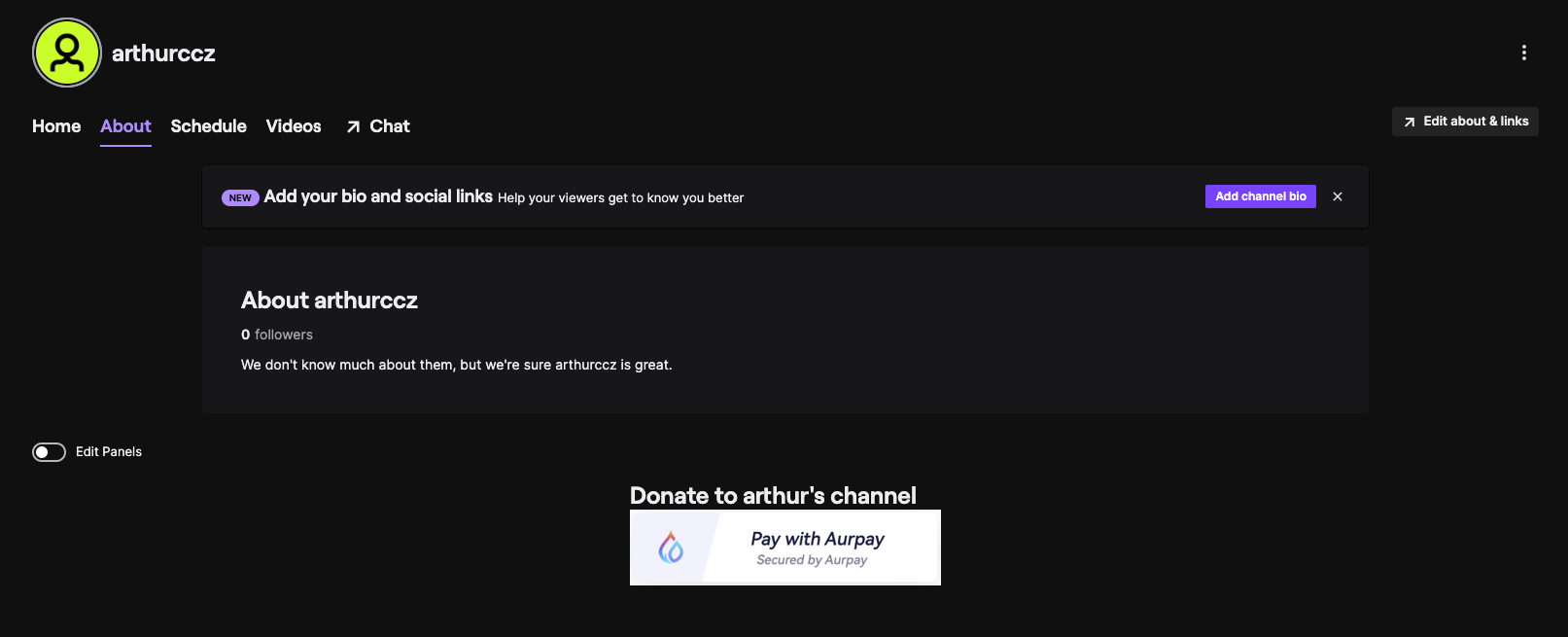
Accept crypto donations via our shiny payment button or link to your Twitch or YouTube channel.
* **Event Organizers**\
An event organizer is selling tickets for an event. For example, you are conducting a conference on digital marketing and want to sell tickets online.
* **NGOs**\
An NGO that is seeking donations online from domestic and international donors. For example, you are raising funds to support Ukraine.
* **Small Businesses**\
A small business that sells its products online and accepts payments on its websites. Or any items with support for quantity. For example, you are a painter who sells paintings online.
* **Institutes**\
Schools, colleges and institutes that are looking to collect fees from students. For example, you can collect tuition fees online from students.
* **Individuals**\
Professionals who offer services and accept online payments. For example, you are a freelance baking instructor who organizes and offers baking classes.
* **Blog or website owners**\
Embed a donation button on your blog or websites.
#### 2.2 Supported platforms
### [**YouTube**](https://docs.aurpay.net/product-guides/get-started/payment-button/youtube)
### [**Twitch**](https://docs.aurpay.net/product-guides/get-started/payment-button/twitch)
### [**WordPress**](https://docs.aurpay.net/product-guides/get-started/payment-button/wordpress-and-elementor)
### [**Wix**](https://docs.aurpay.net/product-guides/get-started/payment-button/wix)
### [**GoDaddy**](https://docs.aurpay.net/product-guides/get-started/payment-button/godaddy)
### [**Google Sites**](https://docs.aurpay.net/product-guides/get-started/payment-button/google-site)
### [**Elementor**](https://docs.aurpay.net/product-guides/get-started/payment-button/wordpress-and-elementor)
### [**Blogger**](https://docs.aurpay.net/product-guides/get-started/payment-button/blogger)
### [**Drupal**](https://docs.aurpay.net/product-guides/get-started/payment-button/drupal)
### 3. Supported Button types
#### 3.1 Quick-pay button
Accept fixed-price payments. Your customers can make quick payments of fixed-price with flexible
crypto options. No coding is required.
#### 3.2 Donation button
Raising money for a good cause. Supporters can donate any amount of their choice.
Note:
It can be either an HTML button code to embed into any website or a direct payment link.
### 4. How it works
Here is how to add Aurpay’s payment button to your website.
Easily add a crypto payment button or link using Aurpay’s customizable payment templates.
#### Step 1:
Select Quick-pay or donation button based on your needs.
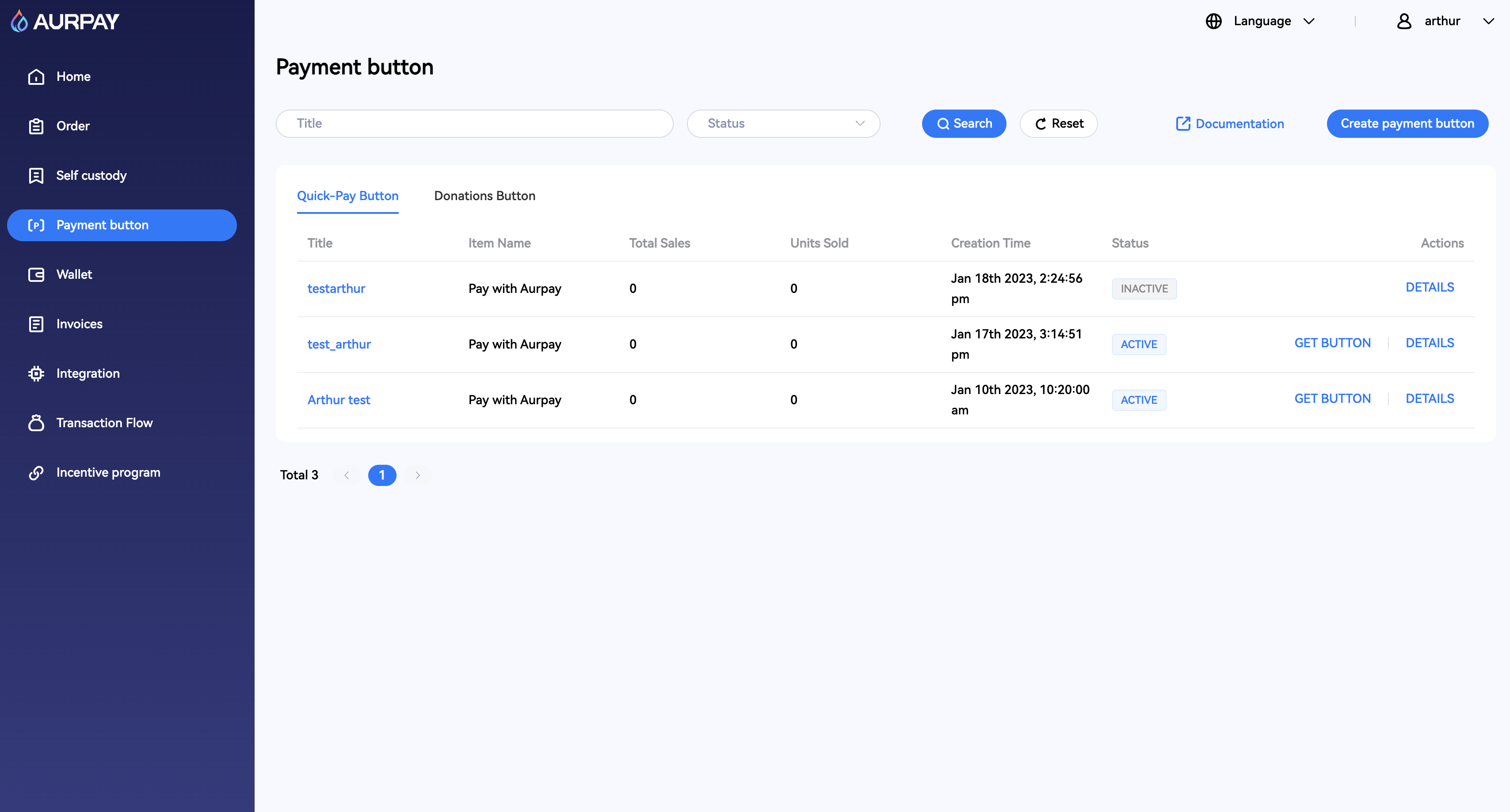
Payment button page
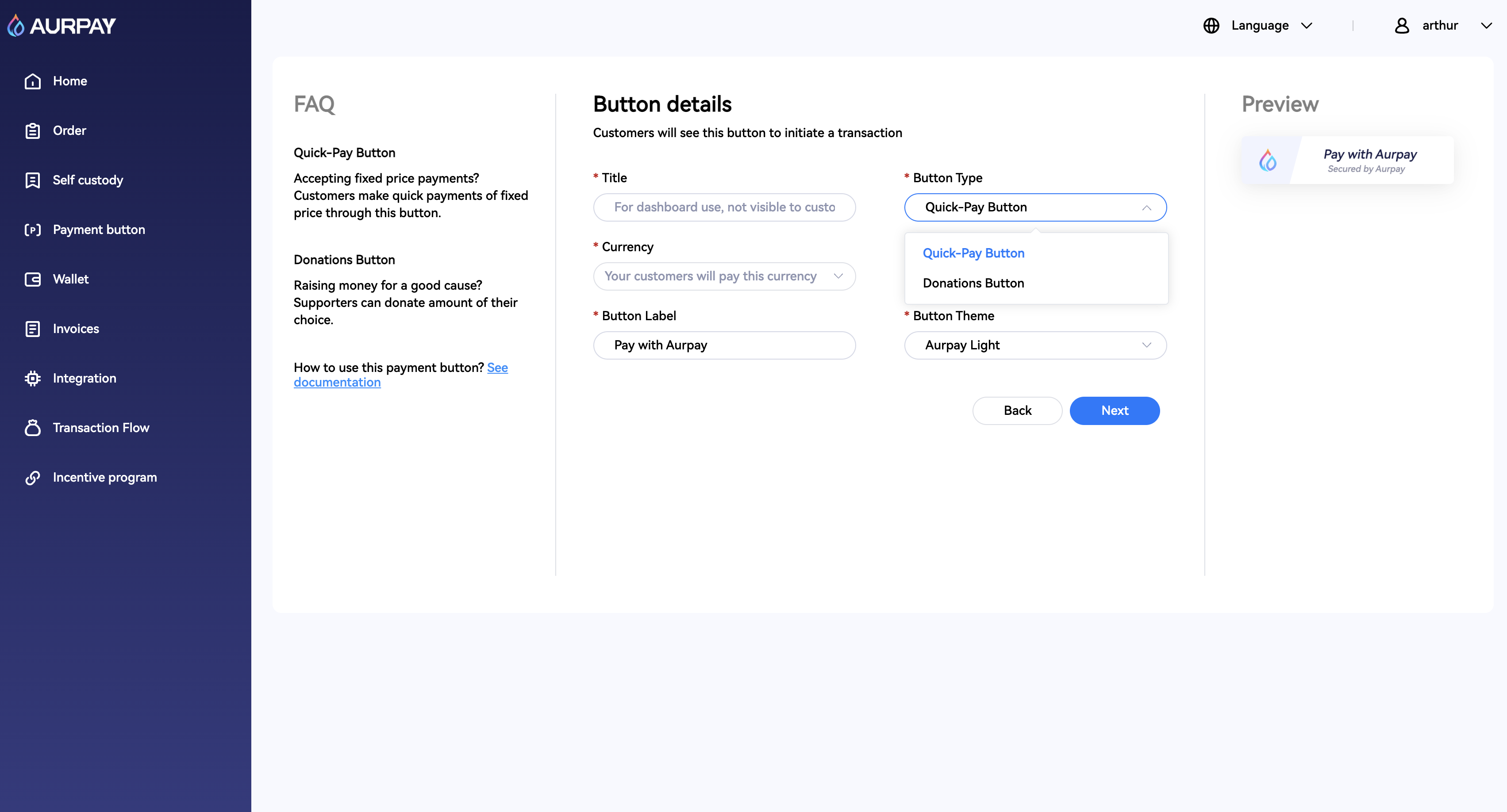
Select button type
As you can see, I want to create a Quick-pay button here.
Select Currency, Amount and Button Theme, you can change Button Label text as well.
For Button Theme, we have Aurpay Dark and Aurpay Light.
Aurpay Dark
Aurpay Light
#### Step 2:
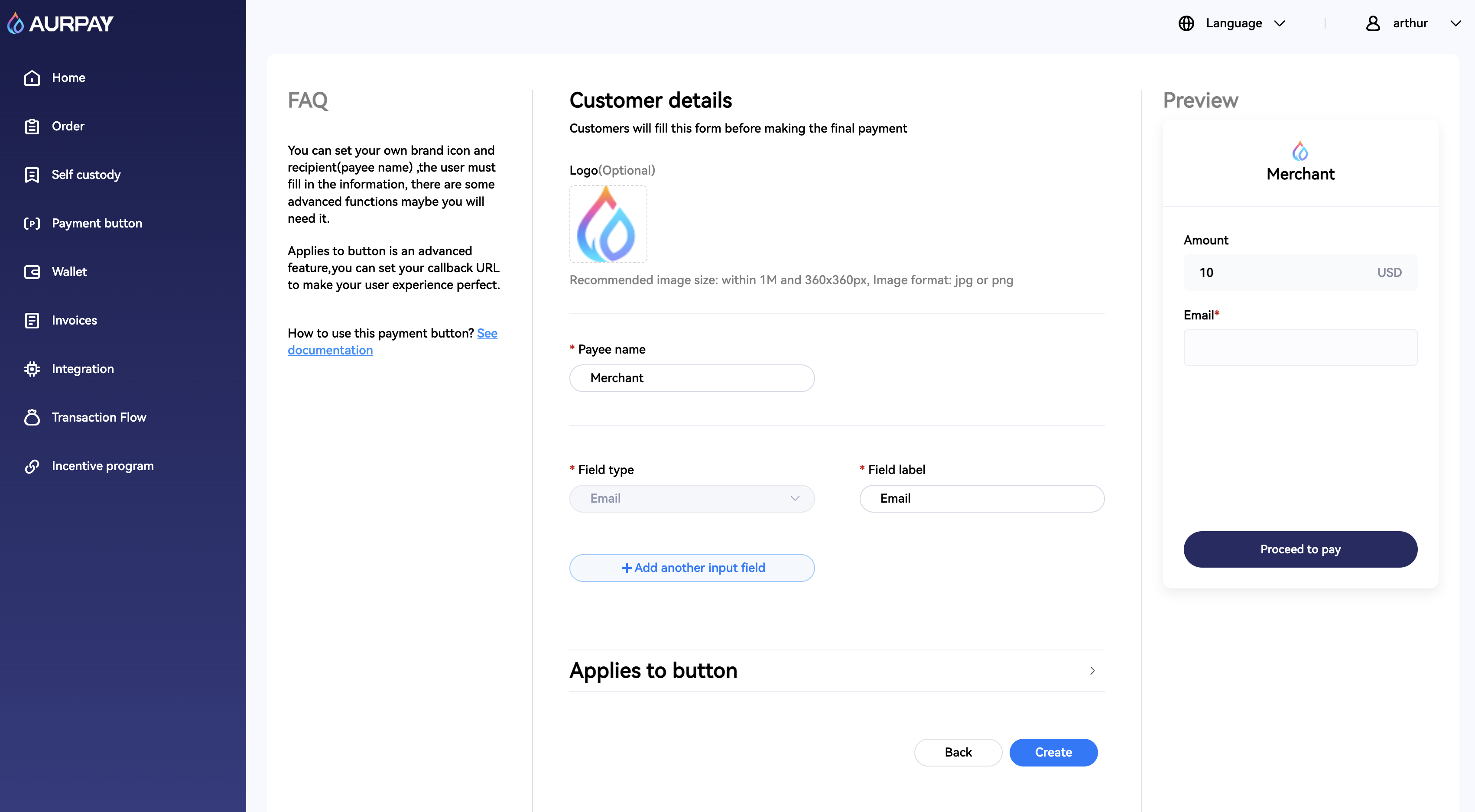
Enter button details, select the payee information you want to collect, Name, Email, Phone, etc.
You can even place your logo to build a strong brand image on the template.
Replace logo, edit payee information
#### Step 3:
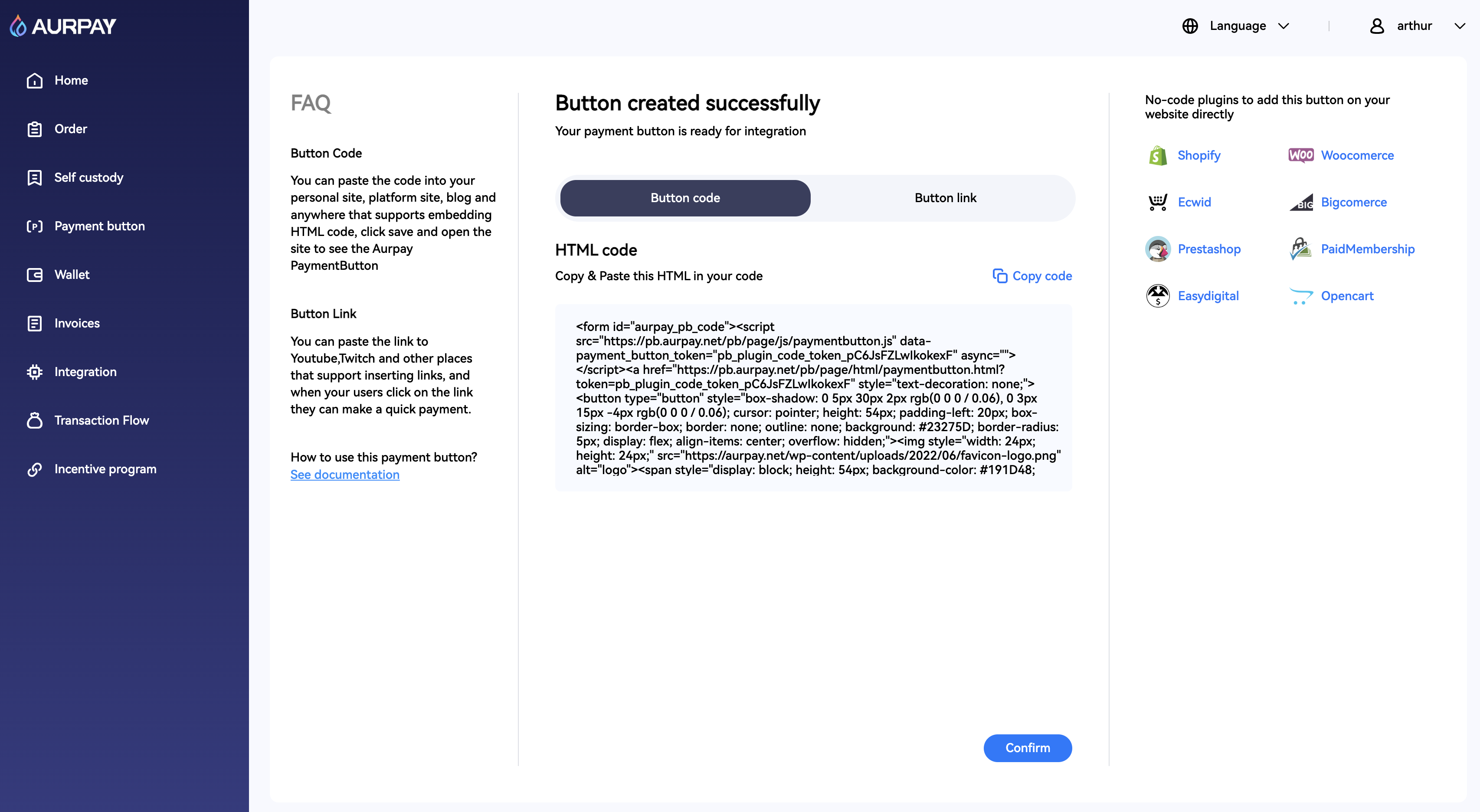
You can put the code snippet into your website, or share payment links anywhere. We support tons of platforms.
Copy button code or button link
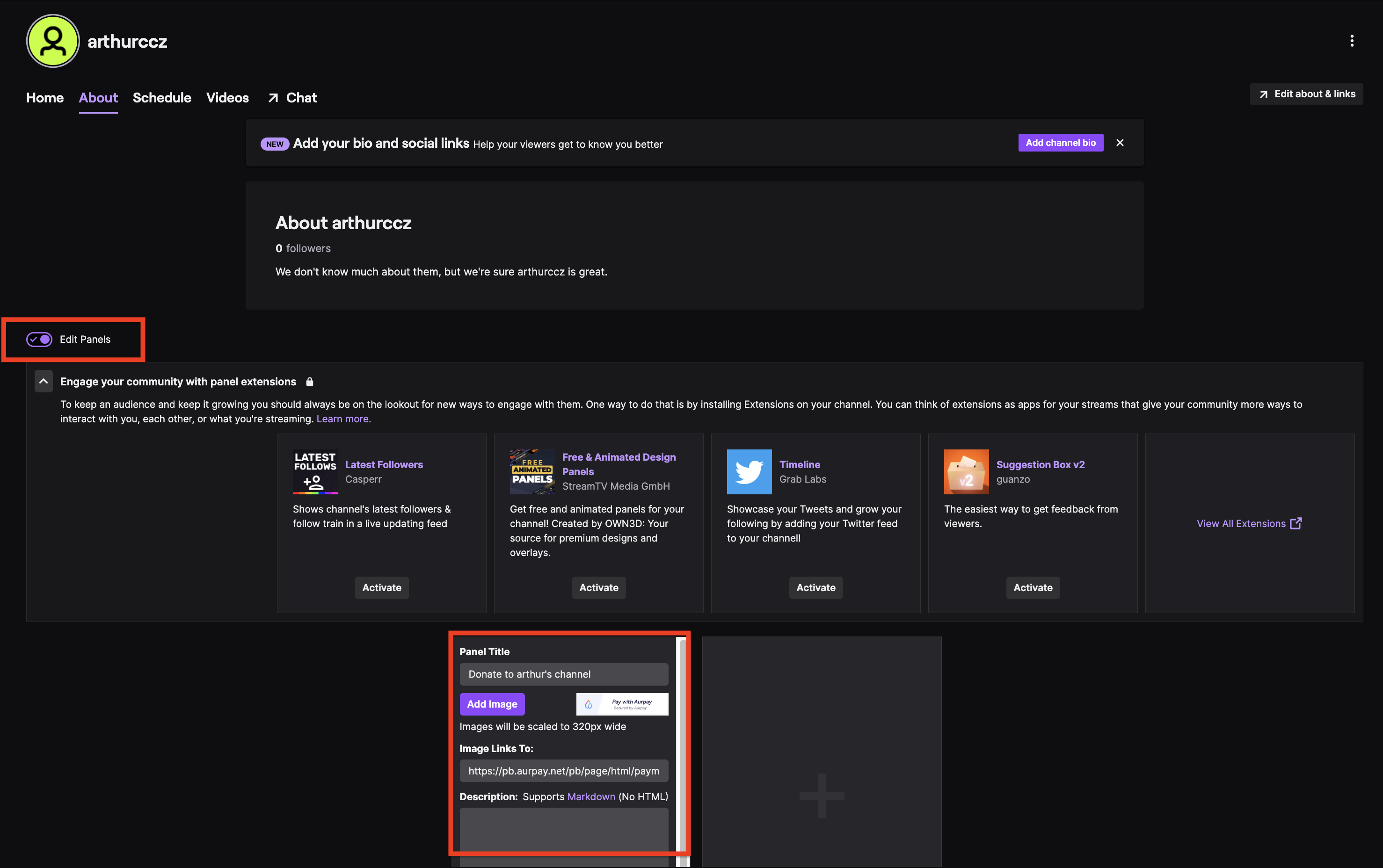
**Let's create a payment button on Twitch.**
Go to your **profile -> Channel**
Then open **"Edit Panels",** enter the **panel title,** add the **button image** and paste the **button link** from Aurpay